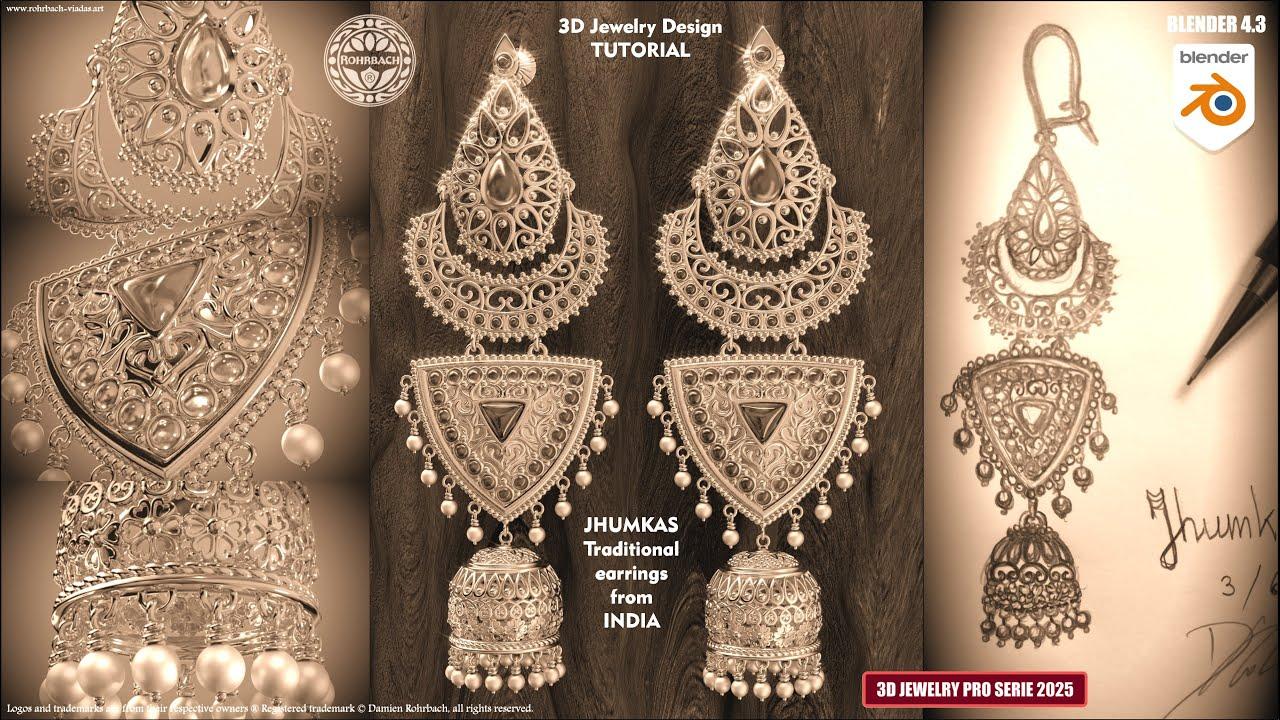
In this tutorial, you’ll learn how to create traditional Indian Jhumka earrings in Blender 4.3 with ROHRBACH ® the Jewelry Jedi. You’ll gain insights into jewelry modeling, using modifiers effectively, and creating intricate designs with curves and arrays.
Main Steps:
-
Gemstone Creation:
-
Start with a plane and shape it into a trillion gem.
-
Apply bevel and subdivision surface modifiers for smoothness.
-
Create a ruby material with specific settings for a realistic look.
-
Bezel and Plate Design:
-
Duplicate the gem to create the bezel.
-
Use solidify and bevel modifiers to shape the bezel.
-
Create a gold material with texture for a detailed finish.
-
Design the bezel plate with extrusion and scaling techniques.
-
Decorative Elements:
-
Add spheres and arrange them around the design.
-
Create intricate borders and use the spin tool for symmetrical designs.
-
Implement boolean operations for precise cuts and shapes.
-
Umbrella and Hoop Details:
-
Use curves and arrays to create decorative umbrella and hoop elements.
-
Add flowers and small gold spheres for additional detail.
-
Pearl and Wire Design:
-
Model pearls with a specific material for realism.
-
Design wires to hang the pearls using curves and modifiers.
-
Final Assembly and Rendering:
-
Assemble all elements and prepare the scene for rendering.
-
Set up lighting and camera for a high-quality 4K render.
This comprehensive tutorial covers advanced techniques in Blender for jewelry design, making it a valuable resource for enhancing your 3D modeling skills.
(This summary was generated using AI)