Search the Blender Community
    Start sharing
  • FAQ
Search the Blender Community
  • Home
  • Apply now
  • FAQ
  • Add Yours

Blender Version: 4.0

Posts pagination

Previous 1 … 3 4 5 … 24 Next
Discover the secrets to crafting stunning realistic jungle vines in Blender 4 with our expert Geometry Nodes tutorial. Ideal for 3D artists at any skill level, this free tutorial guides you through the process of utilizing Blender's Geometry Nodes to create lifelike vegetation and intricate jungle environments.
Create Realistic Vines in Blender 4 Geometry Nodes Tutorial
FreeTutorialsGeometry Nodes
Making a procedural grunge material
FreeTutorialsShader Nodes
Making a procedural concrete material
FreeTutorialsShader Nodes
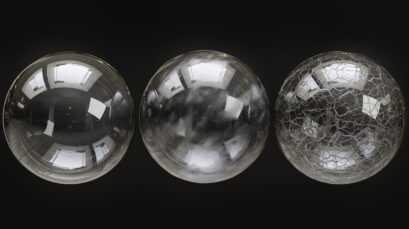
Procedural Glass Material
PaidMaterials, Shaders, TexturesGlass
Whether you're building serene natural landscapes, rugged alien terrains, or whimsical fantasy worlds, the Blender Stylized Rock Geometry Pack is your key. Dive into a world of creative freedom with features that let you tweak everything from the rock's roundness to its displacement, ensuring each stone fits perfectly into your vision. Enhanced with a custom shader for realistic edge wear and customizable color options, these rocks add depth and realism to any scene
Blender 4 Stylized Stone Geometry Node
PaidScripts and AddonsModeling
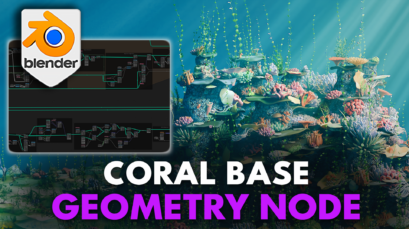
Unlock the power of procedural creation with our Blender 4 Coral Reef Geometry Node Pack dual geometry nodes, enabling you to generate endless variations of coral formations and scatter them across your scenes with precision. Whether you're building a serene marine landscape, a bustling ocean floor for an exploration game, or setting the scene for a documentary-style animation, the possibilities are as vast as the ocean itself.
Blender 4 Coral Reef Geometry Node
PaidScripts and AddonsModeling
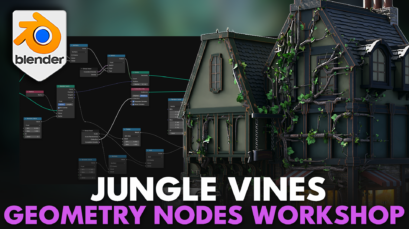
Step into the vibrant world of 3D modeling with our 'Blender 4 Geometry Nodes Workshop: Jungle Vines'. Unlock the secrets to creating mesmerizing, animated jungle vines that breathe life into any scene. Tailored for both beginners and experienced artists, this comprehensive course covers everything from the basics of remeshing and curve generation to advanced techniques like PBR texturing and dynamic animation. Elevate your environmental design skills, learn to apply stylized textures, and gain hands-on experience with customizable geometry nodes. Embrace the power of Blender 4 and transform your digital environments into lush, living landscapes. Enroll now and weave the magic of nature into your 3D projects!
Blender 4 Geometry Nodes Workshop: Jungle Vines
PaidCoursesGeometry Nodes

EASY Barrel Modeling and Texturing
FreeTutorialsModeling
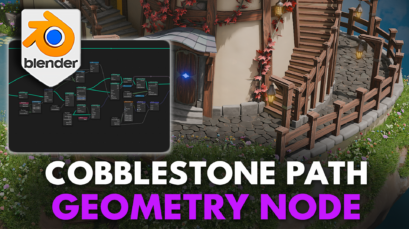
Dive into a world of endless possibilities and detail-oriented designs with the Blender 4 Cobblestone Path Geometry Node. Key Highlights: Authentic Dirt and Stone Materials Unique Path Customization with Seed Randomizer Smooth Shader for Seamless Integration Decorative Edges to Perfectly Contour Your Designs Adjustable Cobblestone Thickness and Roundness Advanced Displacement Settings for Custom Noise Effects Easy-to-Use on any 2D Plane for Instant Transformation
Blender 4 Cobblestone Path Geometry Node
PaidScripts and AddonsModeling
Sci-Fi Construction Robot - Blender Tutorial Series
PaidTutorialsModeling

Posts pagination

Previous 1 … 3 4 5 … 24 Next
  • Home
  • Contact Us
  • Apply
  • © 2026 BlenderNation Bazaar
    Privacy Policy
    Terms of Use