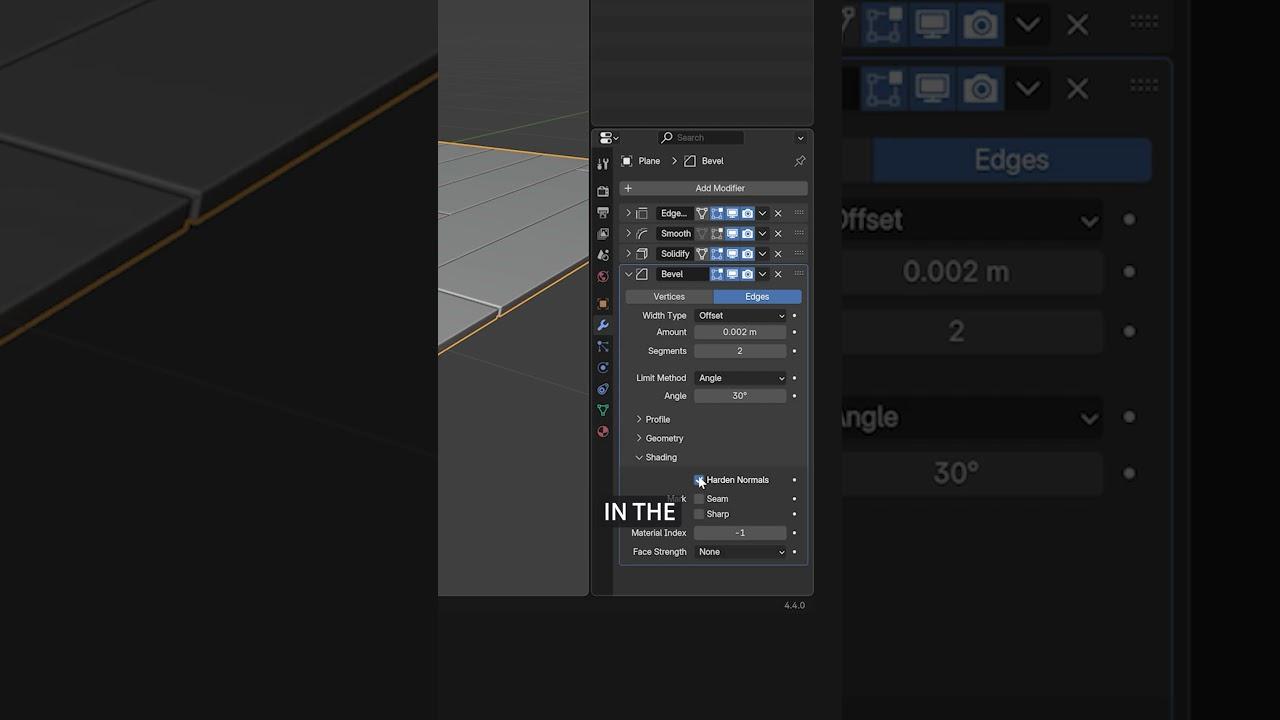
In this tutorial, CG Boost’s Zach introduces a quick and fun method to model wooden floors, walls, and other surfaces in Blender. You’ll learn efficient techniques for creating realistic wooden structures using modifiers and simple editing tools.
Key Steps:
- Setup: Start with a plane and add loop cuts.
- Editing: Use the knife tool for additional cuts and dissolve edges with Ctrl X.
- Modifiers:
- Apply the Edge Split modifier with an angle set to zero.
- Use the Smooth modifier with a low factor to create gaps.
- Add thickness with the Solidify modifier.
- Bevel the edges using the Bevel modifier with a low amount value and two segments.
- Shading: Enable smooth shading and hard normals for a clean surface.
- Bonus Tip: Apply the Edge Split modifier, select random vertices, and use the randomize transform to create uneven planks.
This method allows for easy adjustments in edit mode, with automatic adaptations to your changes.
(This summary was generated using AI)
A quick and fun way to model wooden floors, walls etc. in Blender.
- Price type: Free
- Price: Free