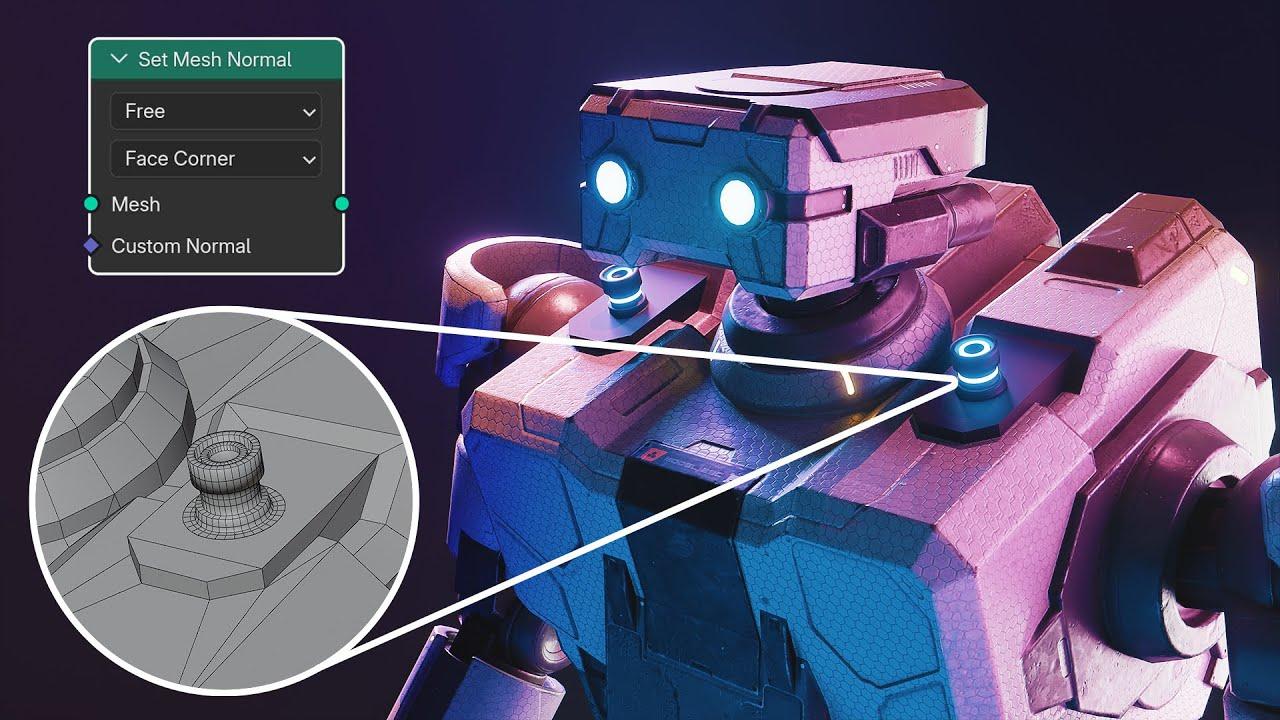
In this tutorial, SouthernShotty introduces you to the new Set Mesh node in Blender 4.5, which simplifies hard-surface modeling and character creation. This node allows you to blend objects seamlessly without altering topology, enhancing your creative workflow.
Key Features of the Set Mesh Node
- Efficient Normal Calculation: The Set Mesh node makes normal calculations inexpensive, improving viewport performance.
- Versatile Blending: Ideal for hard-surface modeling and creating blobby characters with a smooth, integrated look.
Step-by-Step Guide
- Setup:
- Download the free robot model from CGTrader.
- Create a shape to attach to the robot.
- Node Configuration:
- Extract normal data from both objects.
- Mix the normals using a Mix Vector node.
- Control the blending distance with a Geometry Proximity node.
- Creating a Reusable Node Tool:
- Expose key parameters for easy adjustment.
- Save the node setup as an asset for future use.
Practical Applications
- Hard-Surface Modeling: Combine elements smoothly for sci-fi props and industrial designs.
- Character Creation: Achieve a blobby, stylized look perfect for motion design and beginner-friendly characters.
Additional Resources
- For advanced techniques, check out Cartisian Caramel’s tutorial on using the Set Mesh node for realistic fur in Eevee.
- Explore more from SouthernShotty on Patreon and Skillshare.
Enhance your Blender skills with this practical guide to the Set Mesh node, making your modeling projects more efficient and creative.
(This summary was generated using AI)
Blender 4.5 – Just Made Hard Surface Modeling Easier Than Ever
- Price type: Free
- Price: Free