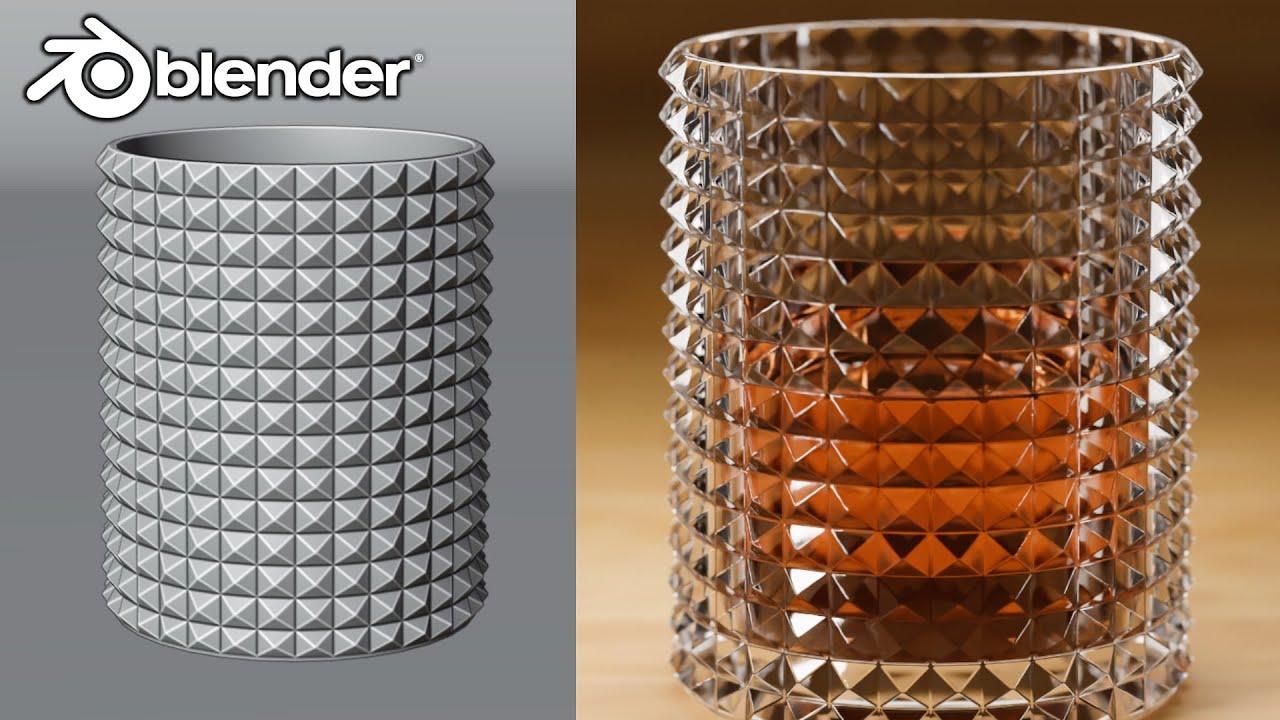
In this tutorial, you’ll learn how to create a stylish, realistic drinking glass from scratch using Blender 4.4, guided by PIXXO 3D. This video is great for beginners and intermediate users looking to sharpen their modeling and rendering skills.
Modeling the Glass
- Start with a cylinder and adjust its dimensions.
- Use loop cuts and the poke faces tool to create the basic shape.
- Extrude and scale the top and bottom edges to form the glass shape.
- Add a bevel modifier for smooth edges.
Creating the Backdrop
- Add a plane and extrude the back vertices to create a simple backdrop.
- Apply a bevel to the backdrop for a finished look.
Setting Up the Camera and Lighting
- Adjust the camera settings for a focused render.
- Add area lights and position them for optimal lighting.
- Enable depth of field for a soft focus effect.
Materials and Rendering
- Apply a glass BSDF material to the glass with a slight emission for a realistic glow.
- Create a liquid inside the glass with a separate material.
- Render the final image with Cycles for a high-quality output.
This tutorial covers essential Blender techniques, making it a valuable resource for anyone looking to improve their 3D modeling skills.
(This summary was generated using AI)